Free
Enough to find out whether it fits how you think.
0
- Voice, text and photo capture
- Automatic tagging and collections
- On-device transcription and OCR
- Search across everything you capture
Coming to the App Store
 2Mind
2MindYour personal AI memory
A note, an idea, a to-do, a photo. One place: talk, type, or snap. 2Mind transcribes it, tags it, and puts it in the right collection — so you never have to decide where things go.
Free to start · 7-day trial · iPhone, Mac and Android
2Mind is in final testing. The App Store link goes live at launch.
How it works
Most apps make you file everything yourself before you are allowed to think. 2Mind flips that order.
Open the capture sheet and talk, type, or take a photo. Voice is transcribed on your device; text on a photo is read with on-device OCR. No folder to pick, no tag to type, no title to invent.
Your entry is tagged and routed into the collection it belongs to. If it lands in the wrong place, move it — that single tap is a learning signal, and the routing gets better at how you think.
Every collection keeps a running summary and an open to-do list. Ask a question in plain language and 2Mind reads across your own notes to answer it, showing you which entries it used.
Features
2Mind is built around one idea: capture should cost you nothing, and structure should appear afterwards.
Voice, text and images live in the same capture sheet, one swipe from anywhere in the app. Start a recording, dictate a thought, snap a receipt or a whiteboard — it all becomes one entry.
Speech is transcribed and text in images is read using on-device engines — Apple's on iPhone and Mac, Google's on Android — before anything leaves your device. The heavy lifting happens locally, not on a server.
Each entry is read and tagged automatically. Tags are how the same thought shows up later from three different angles, without you maintaining a taxonomy you will abandon in a month.
Entries are routed into collections on their own. When you move one, 2Mind records it as a signal and adjusts — so the system converges on your categories, not a generic template.
Open a collection and you get more than a list: a written summary of where things stand and the open tasks pulled out of your own entries, with the oldest ones surfaced first.
Chat with everything you have captured. Answers stream in as they are written, the tools 2Mind used are shown as it works, and you can send it off to research a topic in the background.
One search field across entries, collections, transcripts and the text pulled out of your images. Every result opens to the original entry with its sources attached.
Three real native apps, not a website in a wrapper — one account, synced everywhere. The app itself speaks Turkish, English, German, French, Spanish and Portuguese.
The Chrome extension keeps your memory one click away: save the page you are on, the idea you just had, or a screenshot — without leaving the tab.
Your memory speaks MCP: connect Claude, ChatGPT or any other MCP client to the same 2Mind account, and let your assistants read and add to what you have saved.
Inside the app
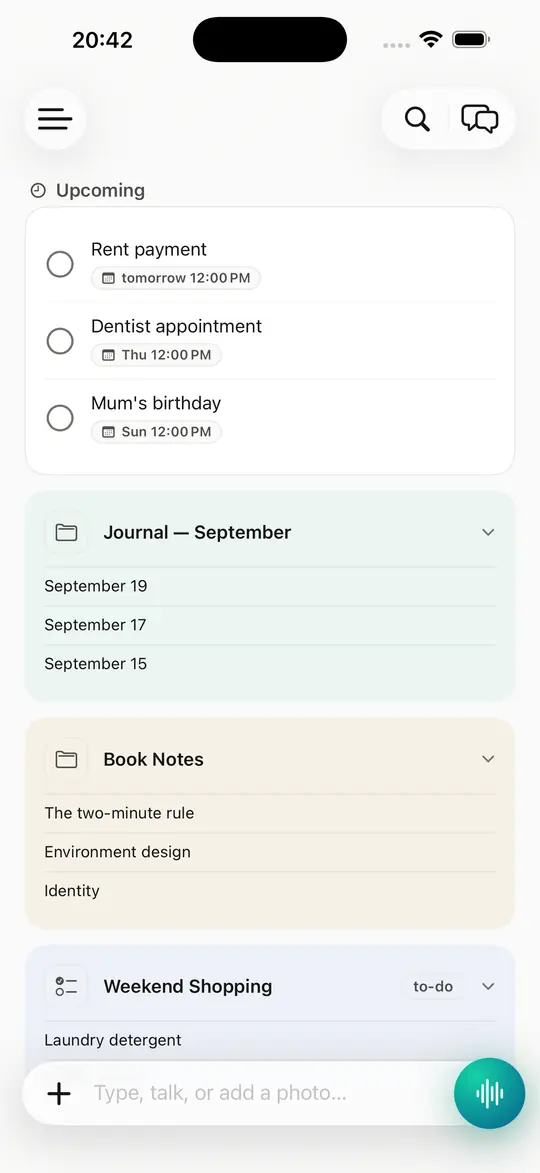
Warm neutrals, one accent colour, and a home screen that shows you where your thinking actually is.
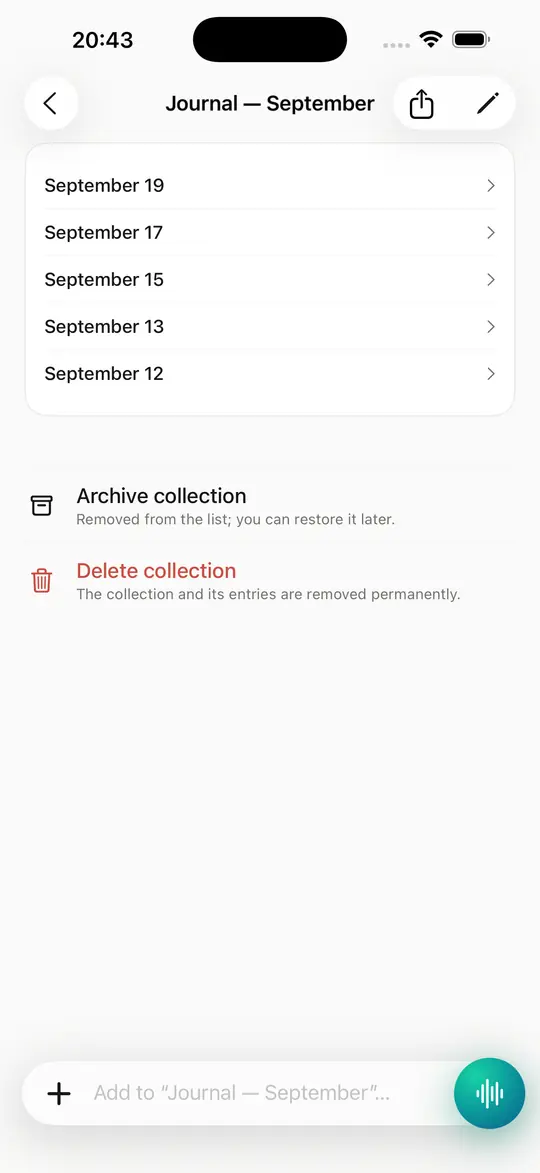
Every collection keeps its own summary and the to-dos pulled from your entries.
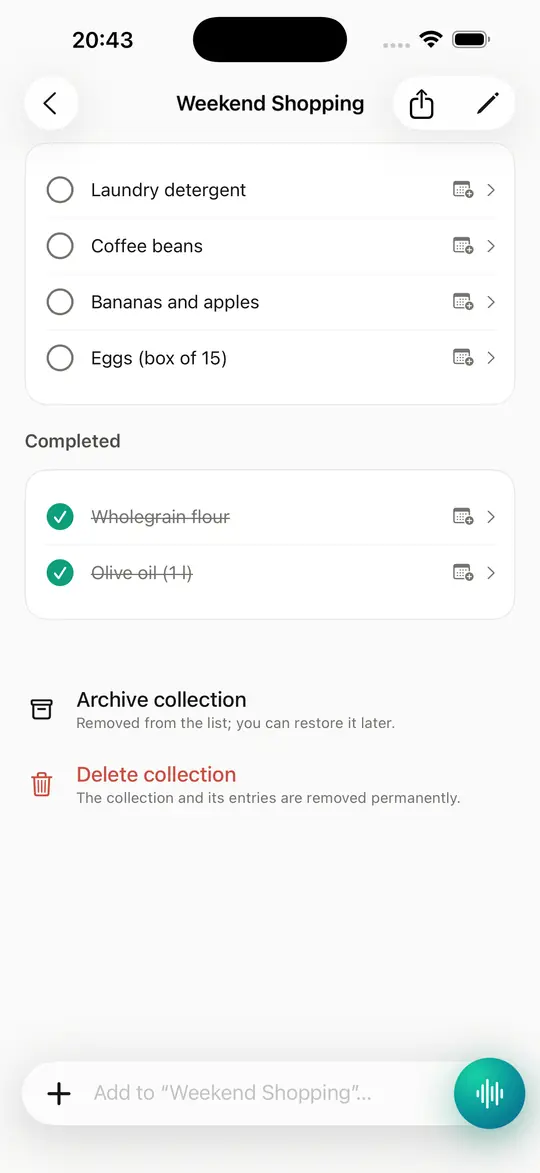
To-dos and shopping lists pulled straight from your entries, oldest first.
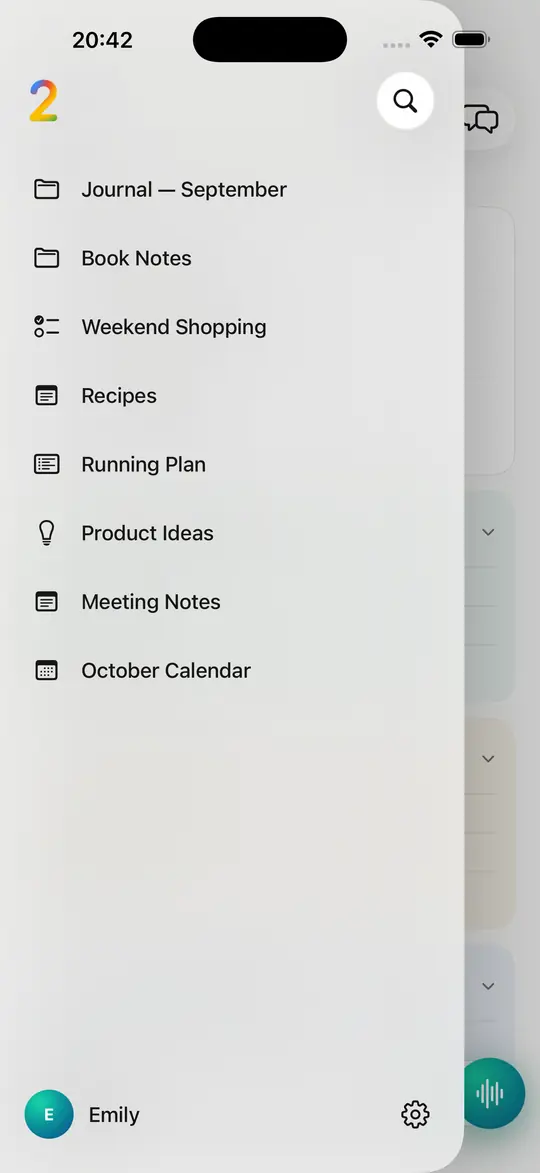
All your collections one swipe away, with search right on top.
Pricing
One account everywhere — the apps, the extension and MCP. Cancel any time.
Enough to find out whether it fits how you think.
0
Everyday capture
$99.90/ yearSave 16%
$9.90/ month
7-day free trial, then $99.90. Cancel any time.
7-day free trial, then $9.90. Cancel any time.
Full power
$199.90/ yearSave 16%
$19.90/ month
7-day free trial, then $199.90. Cancel any time.
7-day free trial, then $19.90. Cancel any time.
Prices are in US dollars. The exact amount charged is set by the App Store and Google Play for your region and may differ.
FAQ
If yours is not here, write to us — a person answers.
A personal AI memory: you capture by talking, typing or taking a photo, and 2Mind transcribes, tags and files everything for you — then answers questions across everything you have saved, from the app, your browser or your AI assistant.
You move it, which takes one tap. That move is stored as a learning signal, so the routing adapts to your categories instead of insisting on its own. Nothing is locked — you can move, retag or delete any entry at any time.
Speech-to-text and reading text out of images run on your device using its built-in engines — Apple's on iPhone and Mac, Google's on Android. The resulting entry — your text, and the audio or image you attached — is stored in your 2Mind account so it can sync and be searched, and its content is sent to an AI provider to generate tags, collection routing, summaries and chat answers. The Privacy Policy names every category and purpose.
iPhone, Mac and Android as three native apps sharing one account. A Chrome extension captures from your browser, and an MCP server connects your AI assistants — Claude, ChatGPT and any other MCP client — to the same memory. There is no web app.
The app interface and its AI features work in Turkish, English, German, French, Spanish and Portuguese. This website is available in English, Turkish, German and Spanish.
Plus costs $9.90 per month or $99.90 per year; Pro costs $19.90 per month or $199.90 per year. Both start with a 7-day free trial. Prices are in US dollars; the stores set the exact amount for your region.
From Settings on your Apple device: tap your name, then Subscriptions, then 2Mind, then Cancel. The subscription stays active until the end of the period you already paid for. Cancelling during the trial costs you nothing.
Capture the thought while you still have it. 2Mind will work out where it belongs.
iOS · macOS · Android · 2Mind is in final testing. The App Store link goes live at launch.